Wando Express
Create, edit and organize AI images in one app
Wando Express is a local-first desktop app for Mac and Windows. Generate with 13 leading image models, restage product photos, resize for every platform and keep every image findable with its prompt and history attached.
One-time purchase
14-day money-back guarantee
Mac and Windows

13
image models from Kie.ai, OpenAI, Google and Bria
13
reference images to guide a single prompt
17
platform size groups, from Etsy to YouTube
8
dedicated workspaces in one desktop app
A quick tour
Eight tabs, one complete workflow
Every Wando Express tool sits one click away in the same window, from the first prompt to the scheduled post.

1
2
3
4
5
6
7
8
1
Gallery
Search, filter and star every image, with its prompt and history attached.
2
Generate
Prompt 13 image models and guide them with up to 13 reference images.
3
Edit
Prompt edits, masked edits, Quick Erase and background swaps.
4
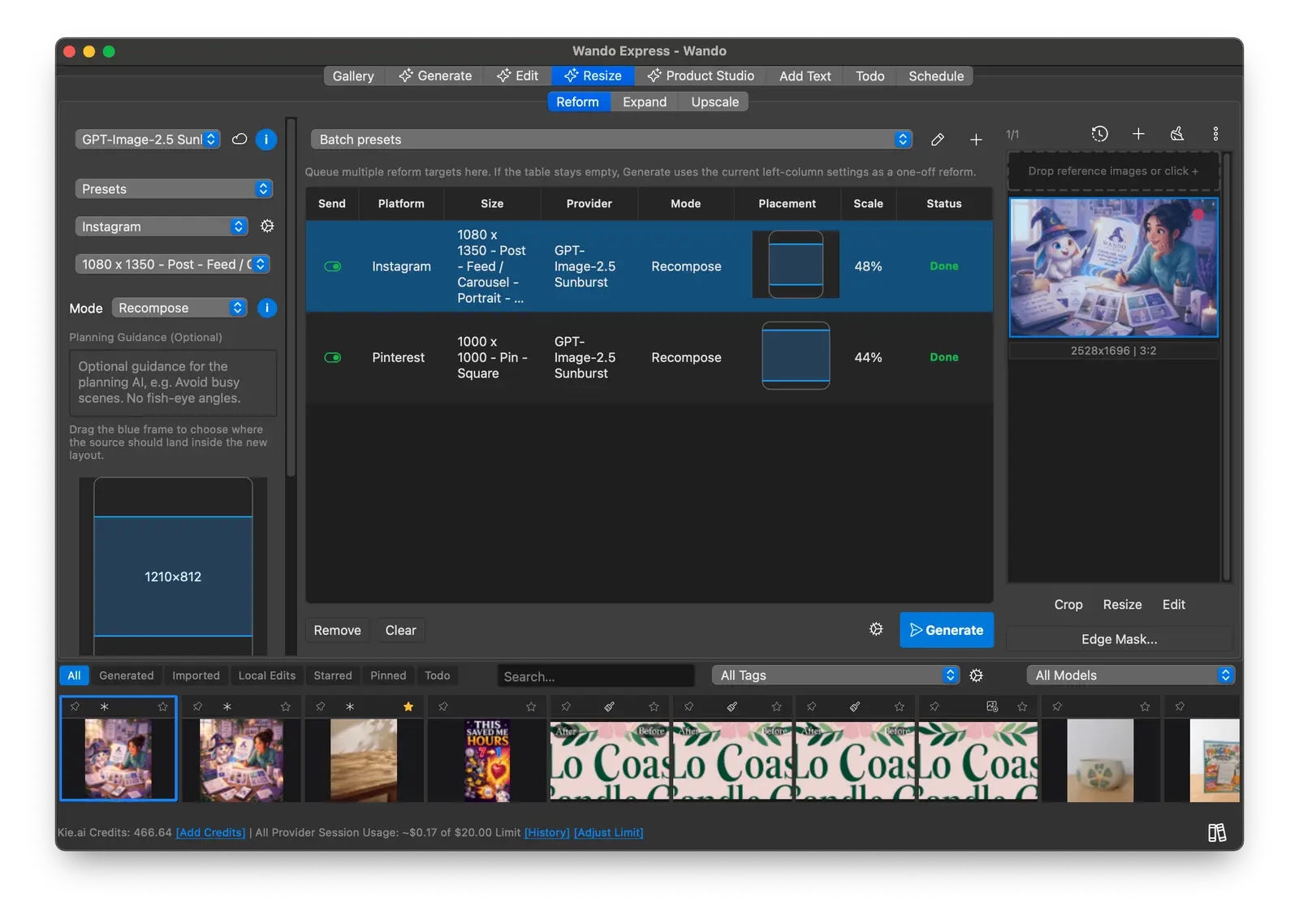
Resize
Reform, Expand and Upscale images for any platform size.
5
Product Studio
Cut products out and place them in clean, styled scenes.
6
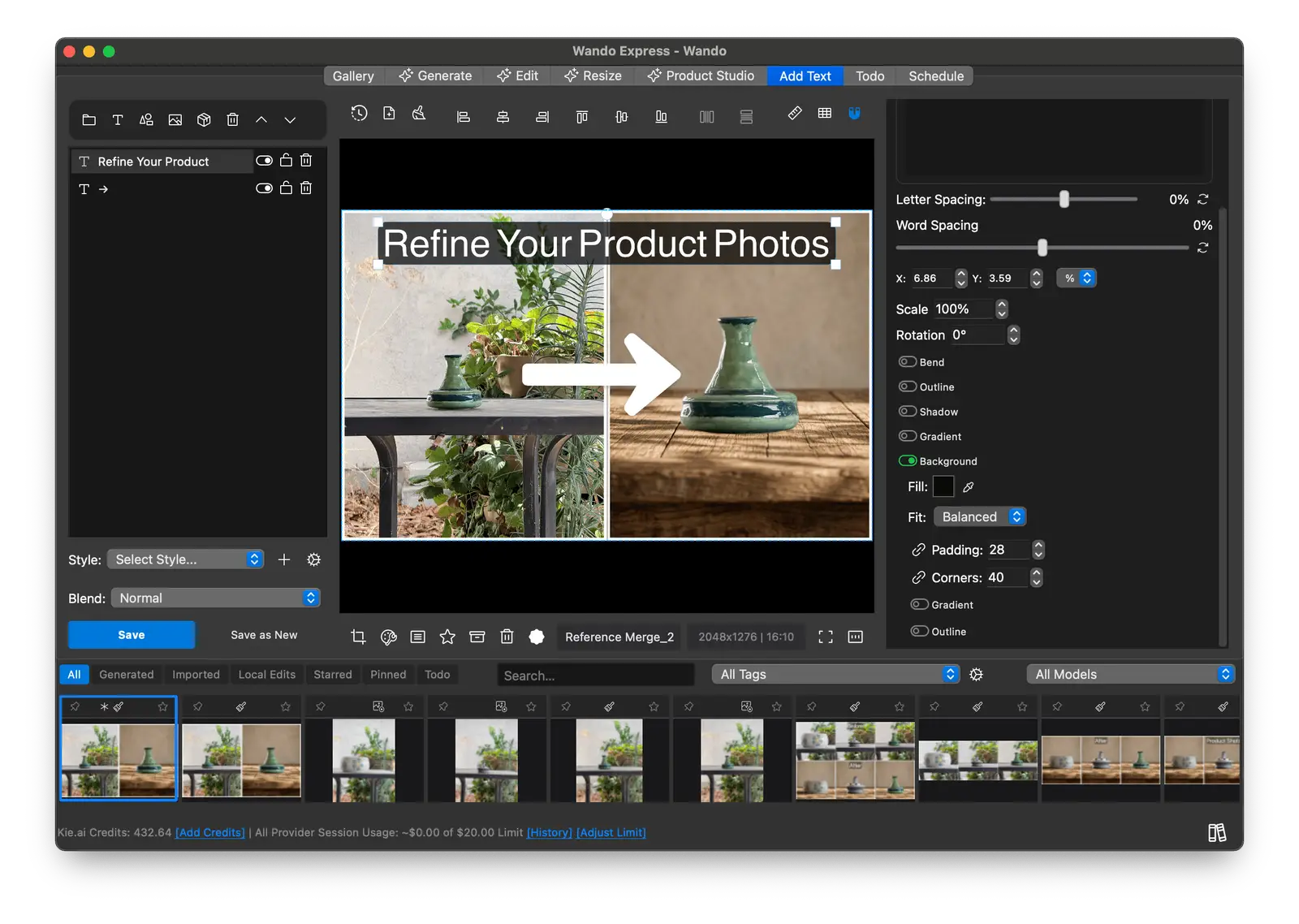
Add Text
Layered, editable text with outlines, shadows and gradients.
7
Todo
Tasks, review status and comments tied to each image.
8
Schedule
Plan a content calendar and publish to your social accounts.
Generate
Guide every image with references
Pick a model, describe what you need and add reference photos for style, product or character. Wando makes the image at the exact size you choose.
Up to 13 reference images per prompt
Size by platform preset, aspect ratio or custom pixels
Nano Banana Pro and V2, GPT Image 2.5 Flare and Sunburst, GPT Image 2, Seedream 5 and 4.5, Flux 3 Klein, and Bria Fibo 2
Save prompt presets and reuse them in one click
Edit
Fix, erase and restage without leaving Wando
Change an image with a prompt, paint a mask to edit one area, or clean it up by hand in a full image editor.
Prompt edits with up to 13 reference images
Edit with Mask and Quick Erase for precise, local changes
Remove or change a background in a few clicks
Clone, paint with pen pressure, blend, color and transform tools
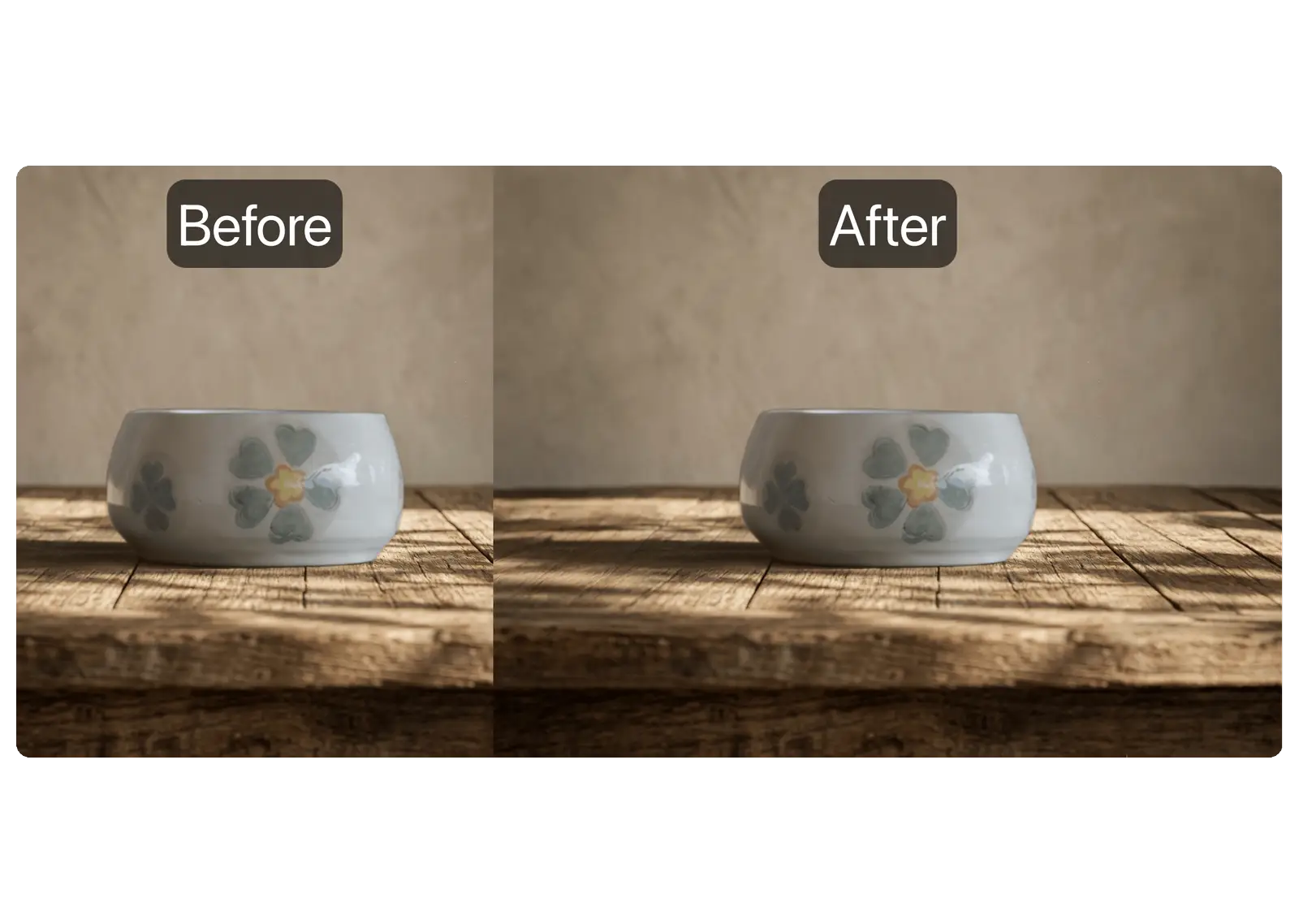
Before and after
Drag the slider to see the difference
Real results from Wando Express. Each one took a single pass in the Edit tab.
Quick Erase
Paint over distractions and Wando rebuilds what was behind them.
Remove Background
Cut a product out cleanly for marketplaces, ads and mockups.
Change Background
Restage a plain snapshot as a styled lifestyle shot with one prompt.
Product Studio
Catalog-ready product photos from quick snapshots
Shoot products wherever is convenient. Product Studio cuts them out and places them on a consistent, styled background, so a whole collection matches.
Product Cutout returns a clean, transparent product image
Generate a background from a written scene or a reference photo
Place cut-out products into a scene you choose
Set the output by preset, aspect ratio or custom size
Resize
The right size for every platform
Reform rebuilds an image for a new aspect ratio instead of cropping it. Expand extends the canvas, and Upscale sharpens images for print or large screens.
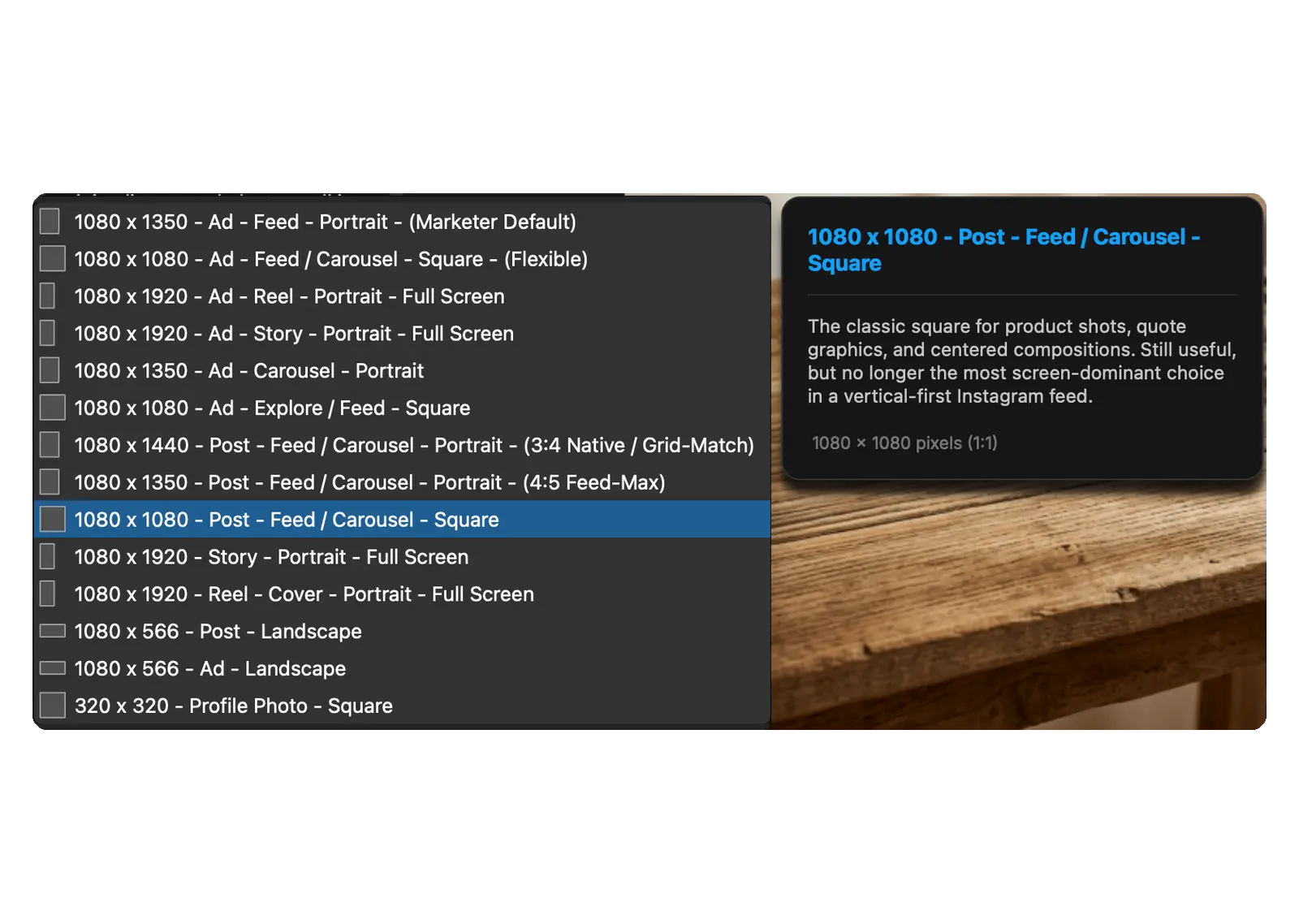
Size presets for Instagram, Etsy, Shopify, Pinterest, YouTube and more
Queue several platforms and sizes and run them together
Expand a scene to a wider or taller frame
Upscale with Bria Upscale, Bria Enhance, Kie Crisp or Topaz
Add Text
Real text and on-brand fonts
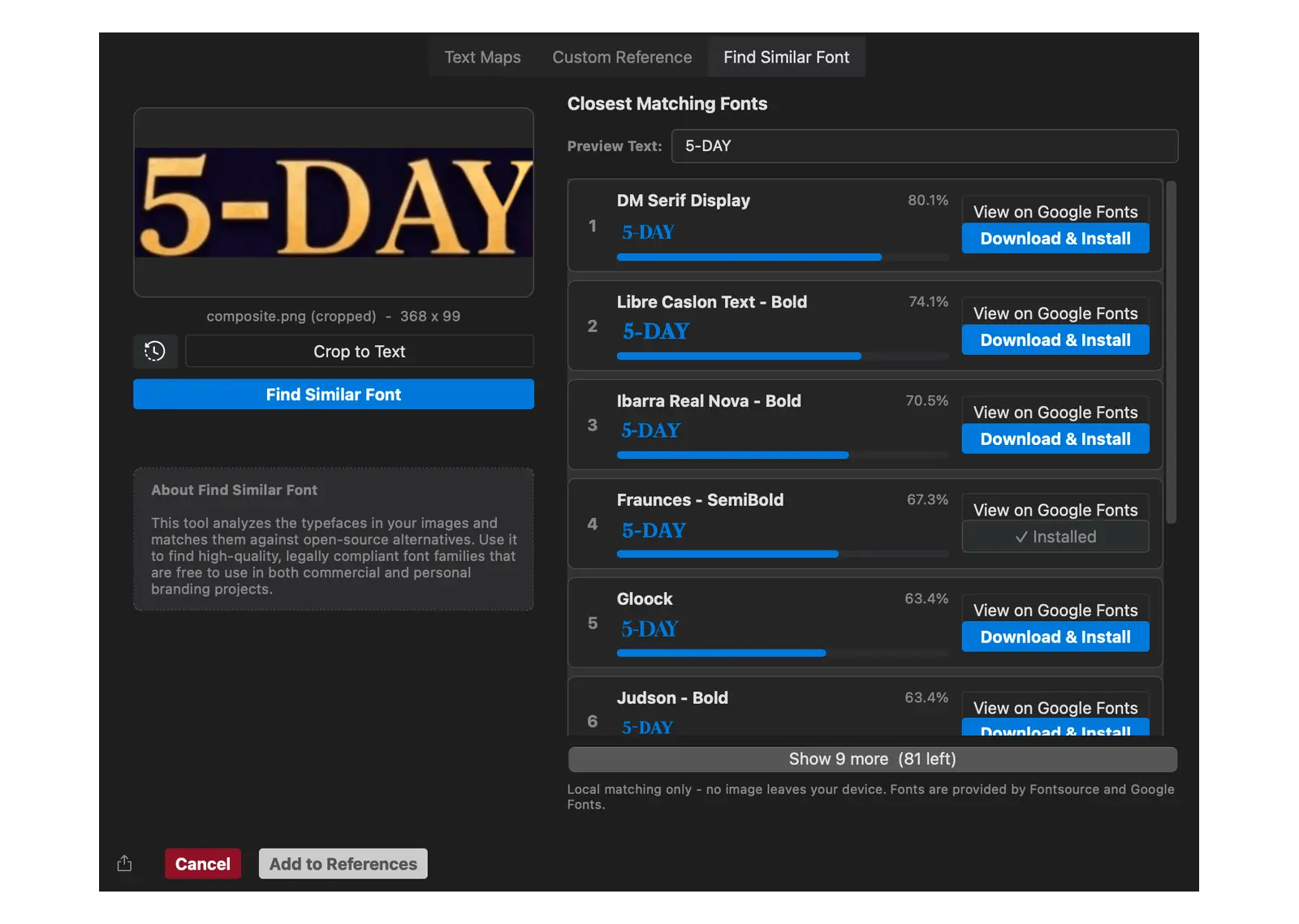
Add headlines and labels as editable layers instead of letters baked into the image, and match the fonts you see in any picture.
Outline, shadow, gradient, background and bend effects
Find Similar Font matches lettering to free Google Fonts and lets you download matching fonts with one click.
Font, color and markup reference generators, plus a reference merger
Magic Chat
Talk through the image you want
Attach a photo and describe the result you're after. Magic Chat writes a detailed prompt and drops it straight into the editor.
Chat with models from Kie.ai, OpenAI and Google AI Studio
Improve, shorten or expand any prompt with quick actions
Turn one conversation into a full batch of images
Stay organized
A library that keeps up with you
Every image keeps its prompt, edits and family tree, so you can find it, reuse it and know exactly how it was made.
Searchable gallery
Filter by prompt, model, tag, type and date.
Prompt history
Every prompt, mask and edit stays with its image.
Ancestry viewer
Trace any image back through its edits and references.
Auto Import
Watch folders and bring new images in automatically.
Naming rules
Name files from templates, or bulk rename a whole set.
Tags, flags and stars
Sort work by status, client or campaign at a glance.
Palette manager
Save brand colors and reuse them on every project.
Workspaces
Local, synced or network workspaces for each project.
Todo and Schedule
Plan, review and publish in one place
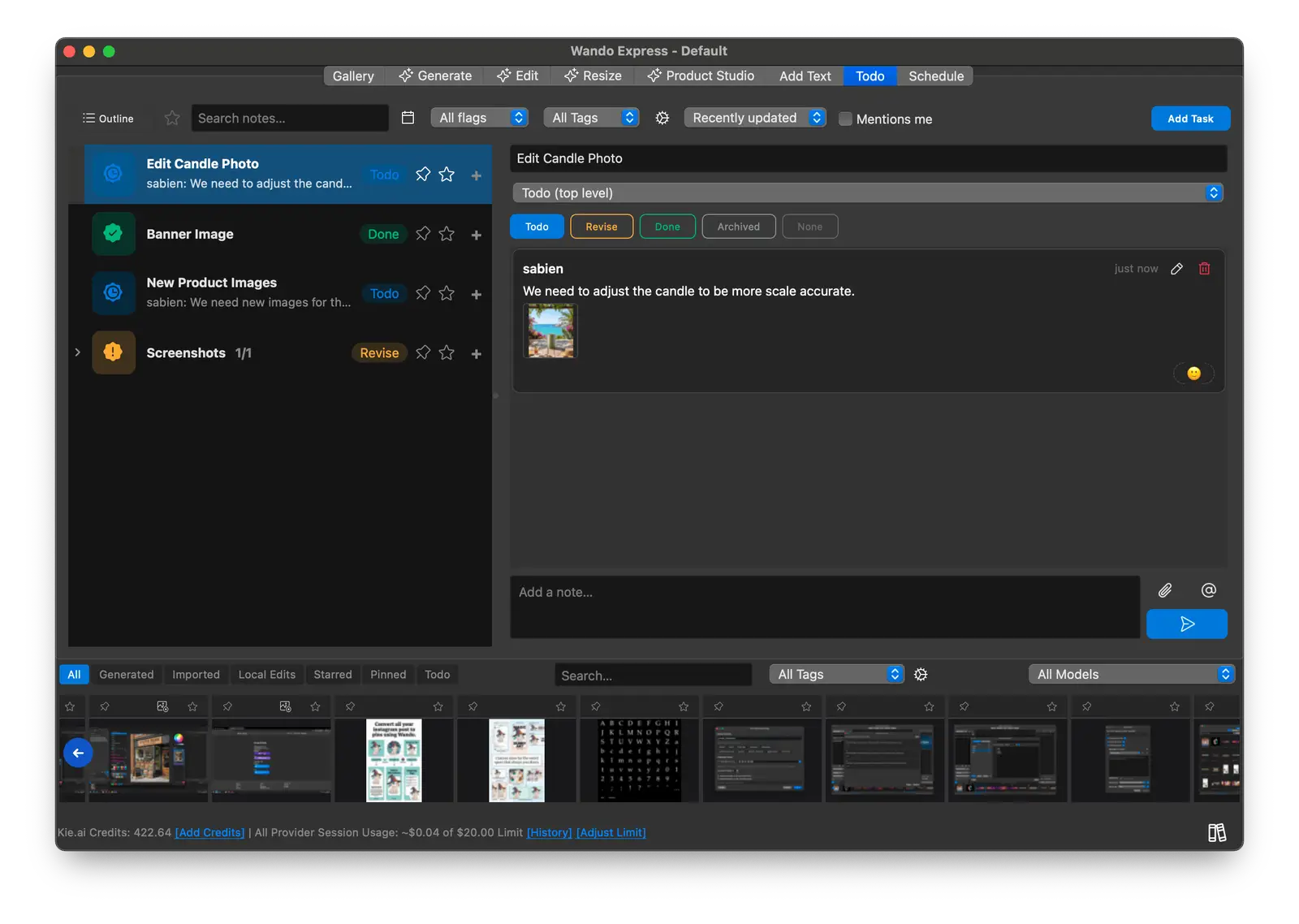
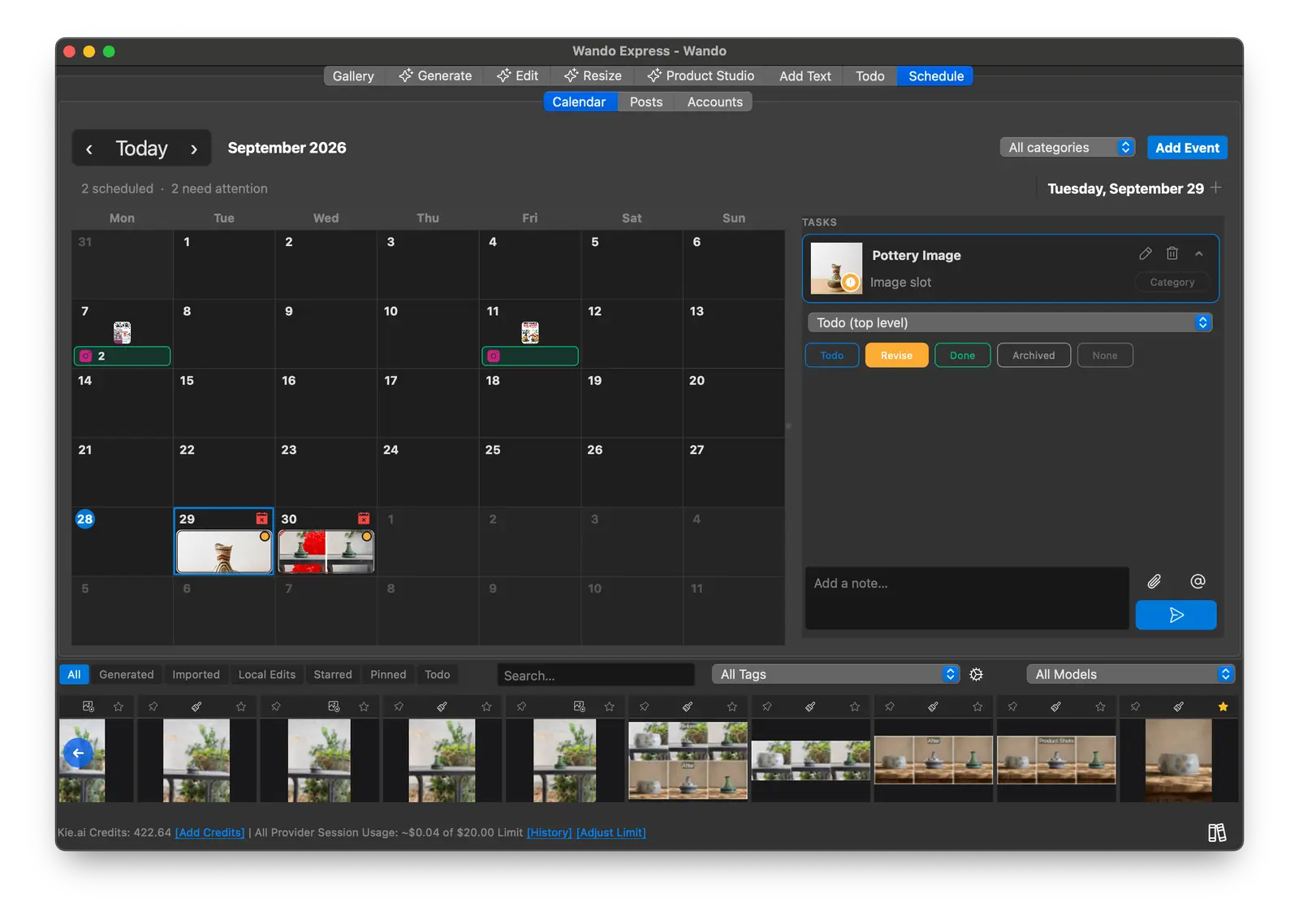
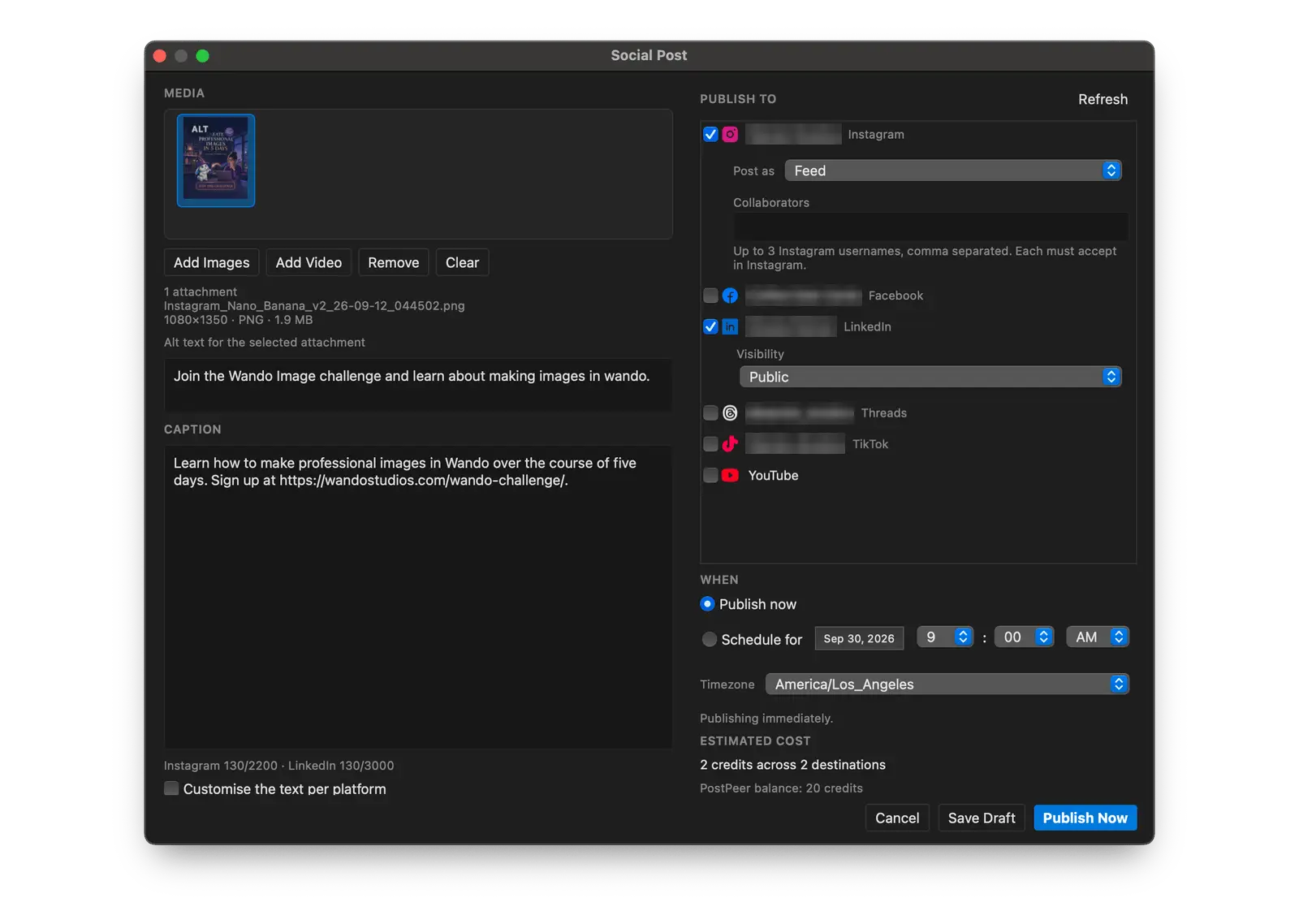
Keep projects moving with tasks tied to the images they're about, then schedule finished work straight to your social accounts.
Tasks with status, comments, mentions and assignments
A calendar view of everything planned and scheduled
Publish or schedule to Instagram, Facebook, LinkedIn, Threads, TikTok, YouTube, Pinterest, Bluesky and X (PostPeer API key required)
Email review requests and polls for clients and teammates
Feature list
Everything included in Wando Express
One app and one price. Here is the complete toolkit you get.
AI generation
Bring your own API keys and pay providers directly
Kie.ai, OpenAI, Google AI Studio and Bria
13 image models, including Nano Banana Pro and Seedream 5
Up to 13 reference images per prompt
One-click multi-model generation
Token-based batch mode and batch sizes
Usage tracking and session spending limits
Prompts and AI chat
Magic Chat, including batch generation
Multi-provider chat
Prompt helper and LLM quick actions
AI image descriptions
Built-in spellcheck
Image editing
Prompt edits, Edit with Mask and Quick Erase
Remove and change backgrounds
Clone, paint, blend, color and transform
Pressure-sensitive painting
Stray pixel and color drift fixers
Bulk editor for whole image sets
Resize and product shots
Reform for new aspect ratios
Expand and cloud upscaling
17 platform size groups
Product Studio cutouts, backgrounds and scenes
Organization
Shared gallery with advanced search
Prompt, mask and edit history
Ancestry viewer
Auto import, naming rules and bulk renaming
Drag-and-drop, PSD and CLIP import
Tags, flags, reactions and mentions
Palette manager and saved presets
Local, synced or network workspaces for teams
Text, planning and publishing
Add Text tab with layered, editable type
Find similar Google Fonts
Font, color and markup reference generators
Todo, calendar and task assignment
Social posting and scheduling
Email review and polling
Pricing
Own it outright, pay monthly, or try it free
No subscription is required. You bring your own AI provider keys and pay those providers directly for what you use.
Try it first
Free Trial
Try Wando Express before you buy
$0
100 AI requests, no time limit
100 AI requests with your own provider keys
No account, email or credit card needed
Batches of up to 10 images
Activate anytime with a license key to remove the limits
One-time
Express
Everything on this page, yours to keep
$49.99
One-time purchase, perpetual 1.x license
4 AI providers and 13 image models
Full editor, Product Studio and Resize tools
Gallery, workspaces and prompt history
Todo, calendar and social scheduling
Monthly
Monthly
Wando Express, billed monthly
$7.99
Per month, pay as you go
The same Wando Express app
Lower upfront cost
Your images stay on your computer
Windows 10/11 and macOS 15+
Free one-time onboarding session
Questions
Wando Express questions, answered
Straight answers about licensing, AI providers and how Wando Express handles your images.
No. Wando Express is a one-time purchase of $49.99 for a perpetual 1.x license. If you would rather spread the cost out, there is also a $7.99 monthly plan.
Yes. Wando uses your own API keys for Kie.ai, OpenAI, Google AI Studio and Bria, so you pay those providers directly for what you generate, with no markup. The free onboarding session can walk you through setting up each key.
Wando Express includes 13 image models: Nano Banana Pro, Nano Banana V2.1 and Nano Banana V2, GPT Image 2.5 Flare, GPT Image 2.5 Sunburst and GPT Image 2, Seedream 5 Pro, 5 Flash, 5 Lite and 4.5, Flux 3 Klein, and Bria Fibo 2 and Fibo 2 Edit. Bria and Kie.ai also power Quick Erase, background removal, Expand and upscaling.
Yes. Product Studio cuts products out of everyday photos and places them on generated backgrounds or in a scene you choose, and the Edit tab can erase distractions or change a background with a single prompt.
Wando Express runs on Windows 10 and 11, and on macOS 15 or later.
Wando is local-first. Your images, prompts and history live in workspaces on your computer, or in a synced or network folder that you choose.
Every purchase has a 14-day money-back guarantee. You can also book a free onboarding session or join the free weekly workshop before you decide.
An AI request is one request Wando sends to a cloud AI provider such as Kie.ai, OpenAI, Google AI Studio or Bria. Generating, editing, expanding or upscaling an image is one request, even when it returns several images. In a batch, each image is its own request, and running a prompt on several providers uses one request per provider. Each AI chat reply, including Magic Prompt, is usually one request, but occasionally two or three if Wando has to ask again for a usable answer. A request still counts if the provider returns an error. The free trial includes 100 AI requests with no time limit, and activating Wando removes the limit. Because Wando uses your own API keys, your provider bills you for each request separately.
Start creating with Wando Express
Generate, edit, resize and organize every image in one app for a one-time $49.99, backed by a 14-day money-back guarantee.
Windows 10/11 and macOS 15+. Your images and prompts stay on your computer.
Based in California