Custom Providers
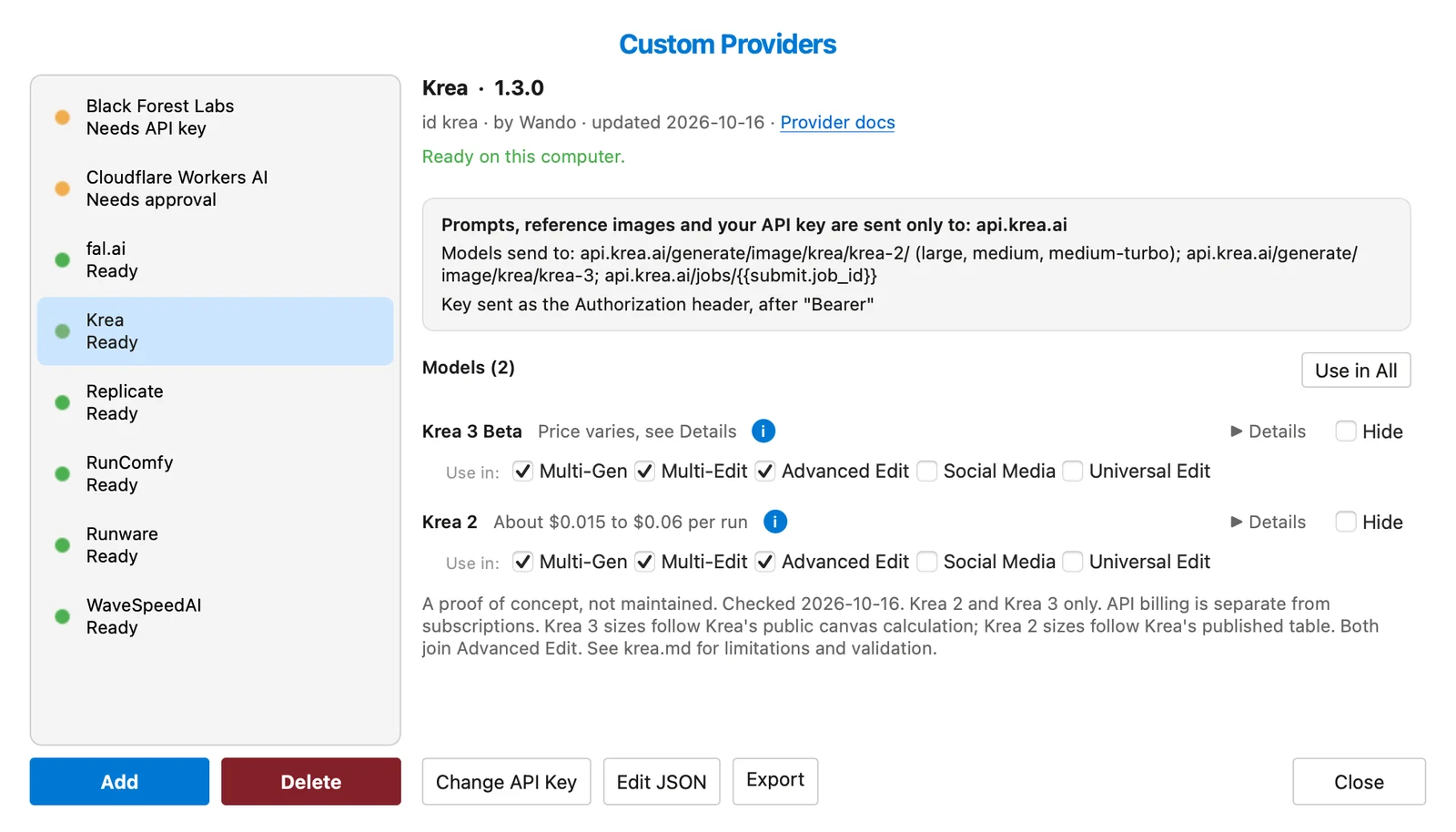
How do I add my own AI image provider to Wando?
Custom providers let Wando Pro use image services it doesn't ship with. Drag a .wandoprovider file onto Wando, approve where it sends data, enter your API key, and its models appear as tabs.
Custom providers let Wando Pro use image services it doesn’t officially support. Drag a small .wandoprovider file onto Wando, check where it sends your data, paste in your own API key, and the service shows up under Cloud Provider > Custom.
Overview
You can write a provider file by hand or have an AI assistant write it for you. If a service has an HTTP API, a provider file can describe it, so you don’t have to wait for us to add a model.
The quickest way to start is one of our ready-made files from Custom providers: proofs of concept, which cover Black Forest Labs, fal.ai, Replicate, Runware, RunComfy, WaveSpeedAI, Cloudflare Workers AI and Krea.
Wando Pro (the proof-of-concept files are written for 1.0.13 and later), a .wandoprovider file, and an account with API access at that provider. Generations are billed by the provider, not by Wando.
Quickstart: set up a custom provider
This walkthrough installs the Krea provider file. Every other provider file works the same way.
1. Drag the file onto Wando
Download the file, then drag it onto Wando Pro’s main window. You can drag in several files at once; each one gets its own review, and Cancel skips just that one.
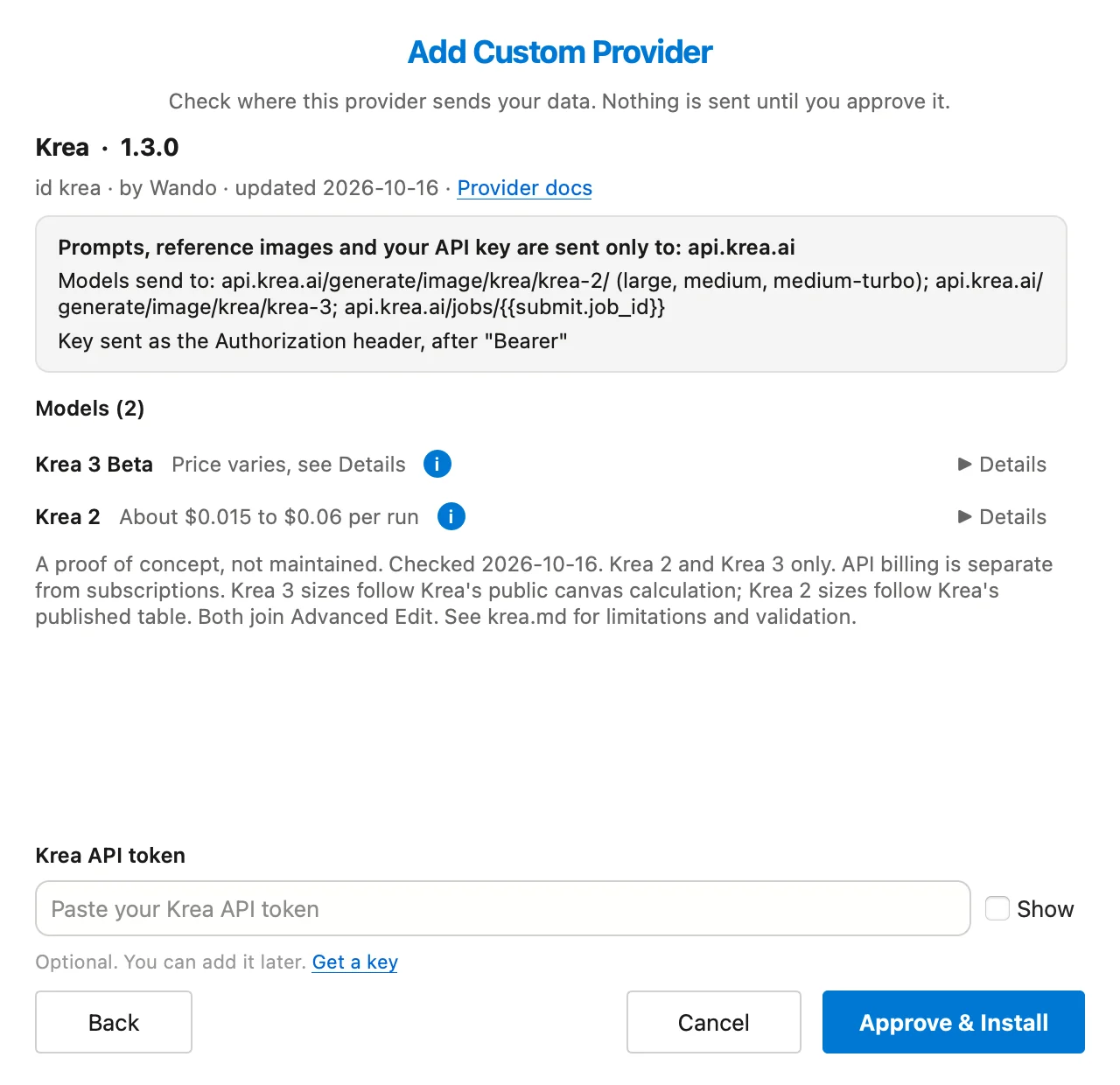
2. Review where your data goes, then approve
The review opens as soon as you drop the file. It shows exactly which hosts receive your prompts and reference images, which host receives your API key, and which header the key goes in. It also lists every model with its price estimate. Nothing is sent anywhere until you approve.
You can paste your key here too, or leave it for later. Click Approve & Install.
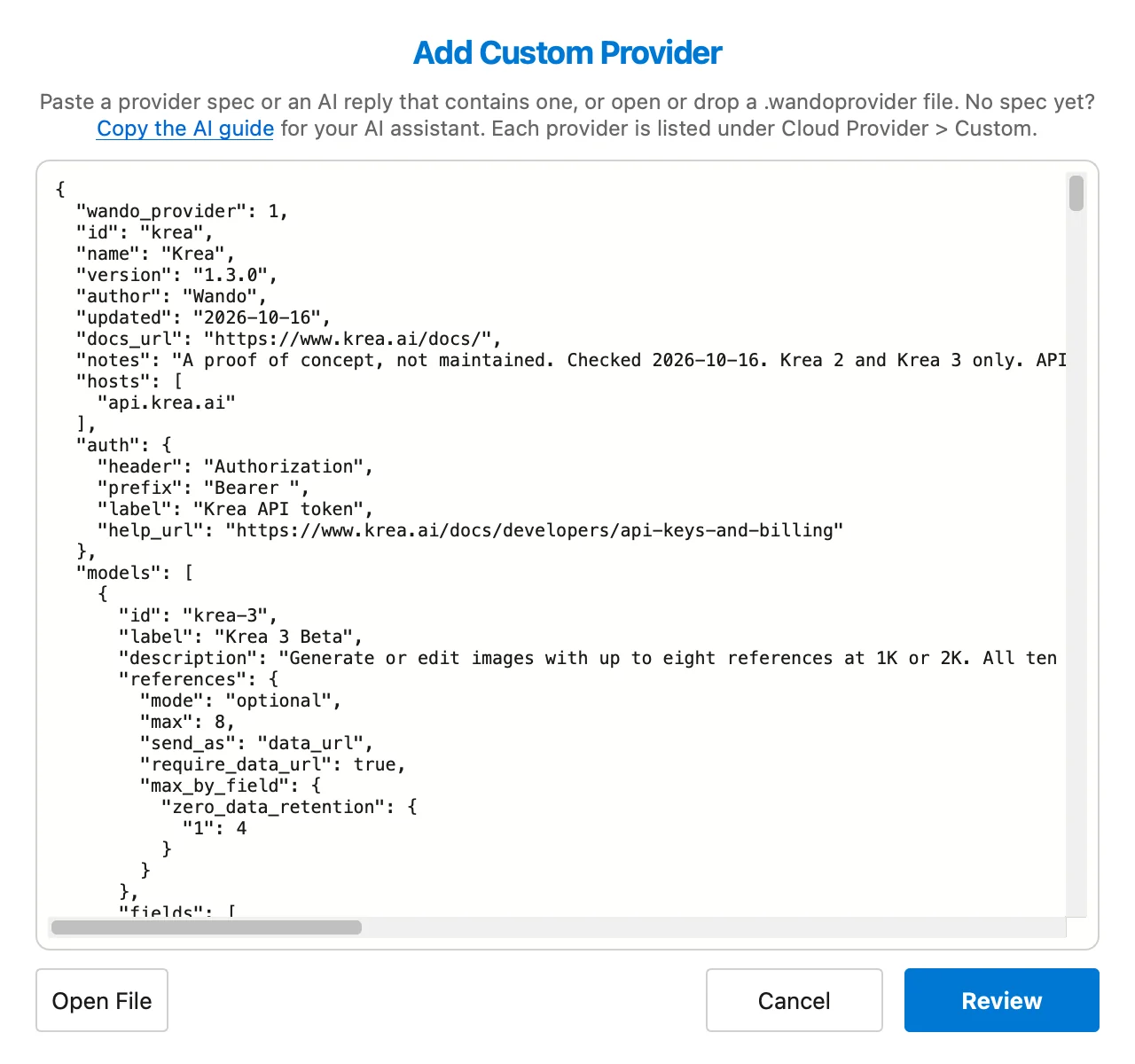
If you have the provider’s text rather than a file, such as a reply from your AI assistant, choose Cloud Provider > Custom > Manage Custom Providers, click Add, paste it in and click Review.
3. Add your API key
If you skipped the key, open Cloud Provider > Custom > Manage Custom Providers. The provider shows Needs API key in the list; select it and click Set API Key. Use the Get a key link if you don’t have one yet.
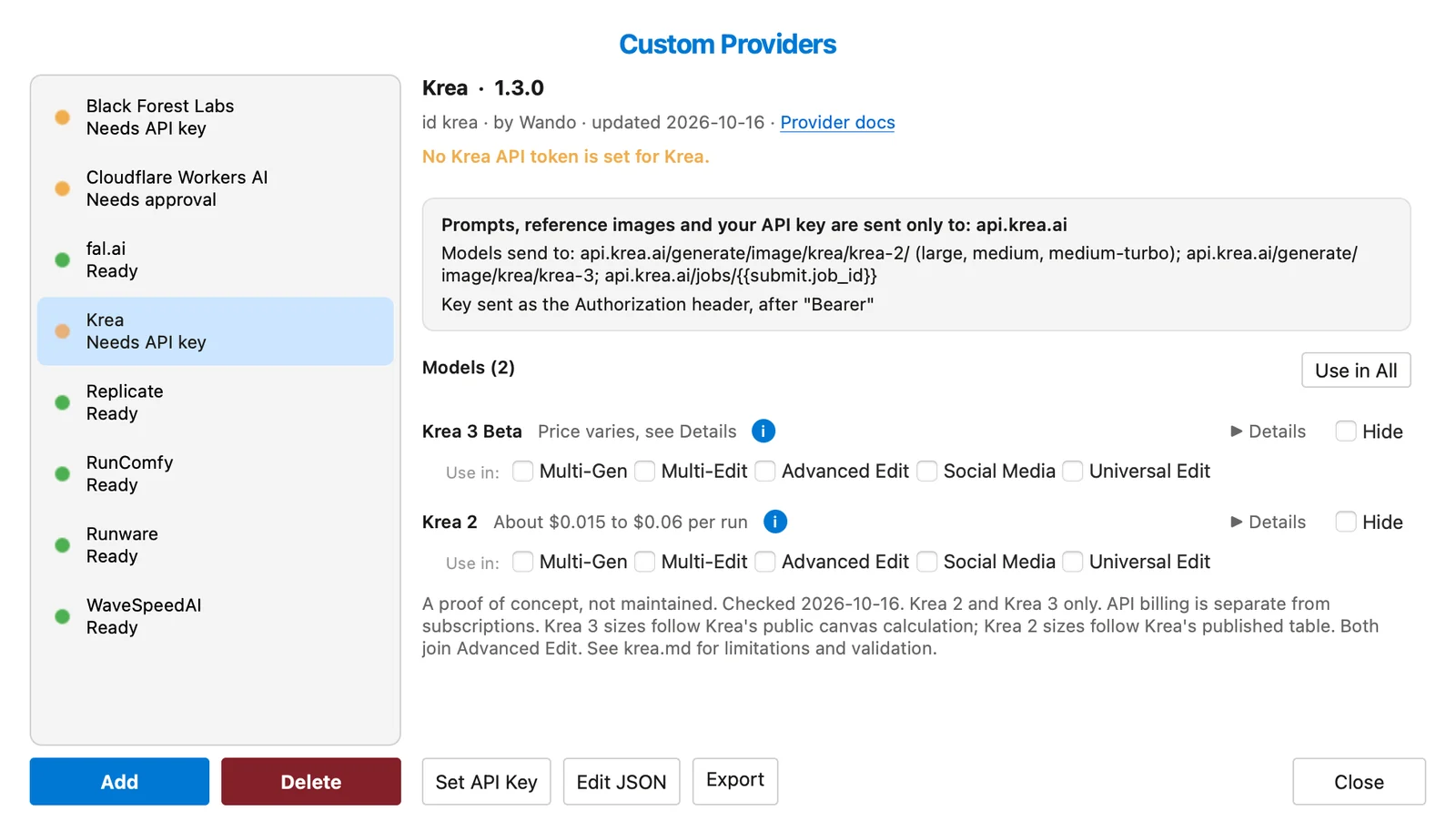
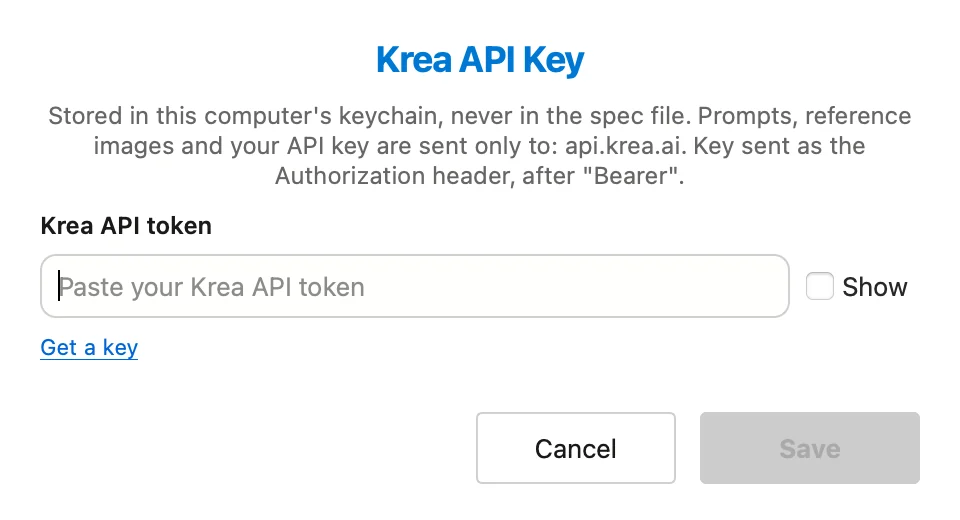
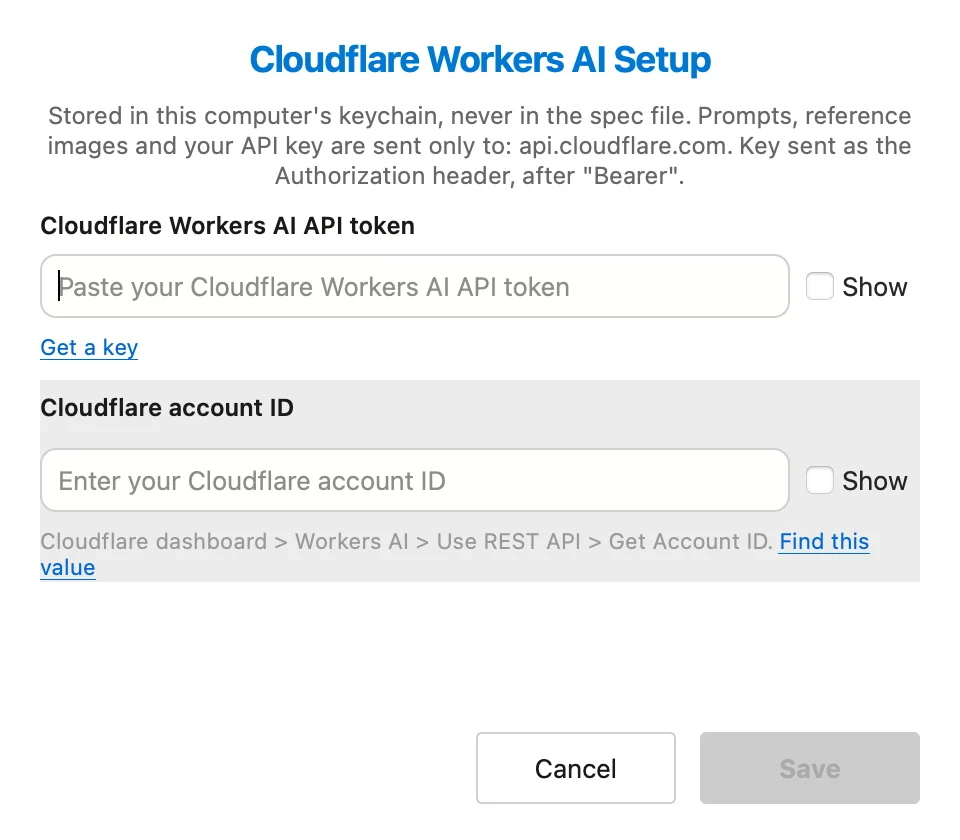
Some providers need more than a key. The Cloudflare Workers AI file also asks for your account ID, so its button reads Configure. Both values stay in your keychain.
4. Choose which tools each model joins (optional)
When the provider shows Ready, each model has a Use in row. Select Multi-Gen, Multi-Edit, Advanced Edit, Social Media or Universal Edit to add that model to those tools. Use in All selects every box a provider’s models can take. A greyed-out box means the model can’t take part in that tool yet, often because the file doesn’t list its exact sizes.
5. Pick the provider and generate
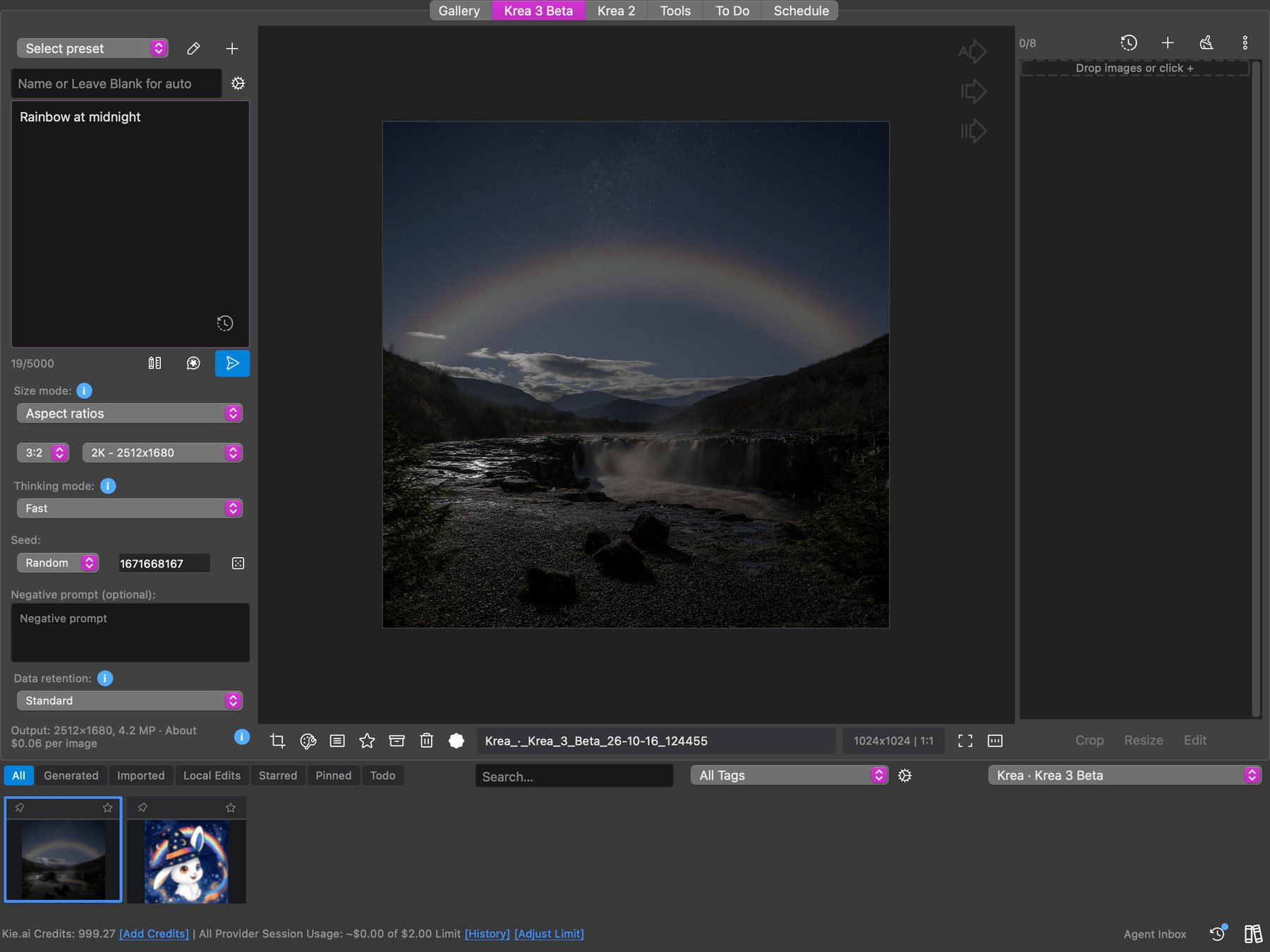
Close the manager and pick the provider under Cloud Provider > Custom. Its models appear as tabs in the main row, between Gallery and Tools. Each tab shows an estimated price before you generate.
Have your AI write or extend a provider
Wando doesn’t need to know about a provider or model in advance. Any AI chat assistant can write or update a provider file for you:
Copy the AI guide
In the Add window, click Copy the AI guide. It explains the provider file format, written for an AI to follow.
Brief your assistant
Paste the guide into your assistant, then paste the provider API docs (or one of our files plus what you want changed) and name the models you want. Add the pricing page if you want cost estimates.
Paste the reply into Add
The assistant replies with one wando-provider block. Paste the whole reply into Add. Wando finds the block itself and shows you the review before anything is installed.
To change a provider you already have, select it in the manager, open Edit JSON and use Copy for AI. Paste the updated reply back into the editor, then validate and save.
If the file breaks, two buttons put the details on your clipboard for the assistant:
- Copy Errors for Your AI lists each problem in the file with its exact location, plus the file itself.
- Copy Debug Report on a failed generation copies the requests and responses, with your key removed, and the file.
Requests like these work well:
- “Add fal-ai/some-new-model to this file. Here are its docs: …”
- “The provider renamed
image_inputtoimages; update the file.” - “Map every size of this model so I can use it in Advanced Edit.”
Privacy and trust
A provider file is plain JSON describing an HTTP API, with no code in it. Wando makes the requests itself, so the file can’t do anything on your computer, and you can open it in any text editor to see where your prompts and images go.
Wando only contacts the hosts the file lists, and checks links that come back from the provider against the same list.
What it costs
You pay the provider directly. Each model in our files carries the provider’s public list price, at the most expensive tier, so estimates may be high.
Want more custom providers?
Browse the full list, with download links, model counts and setup notes, on Custom providers: proofs of concept.
Frequently Asked Questions
Can a custom provider file run code on my computer?
No. A .wandoprovider file is plain JSON that describes an HTTP API. It holds no code, so Wando makes every request itself and the file can only reach the hosts it lists.
Where is my API key stored?
In your system keychain, never in the provider file. If your workspace syncs, the file syncs too, but each teammate approves the provider and enters their own key on their own computer.
Who bills me for generations with a custom provider?
The provider bills you directly, using your own account and API key. Wando shows an estimate before each run and keeps a running total per provider, and your session spending limits cover custom providers too.
Can an AI write a custom provider for me?
Yes. Paste Wando's AI guide and the provider's API docs into any AI assistant, such as ChatGPT or Claude. It replies with a provider file you paste straight into the Add window for review.
Do Protected Regions still work with custom providers?
Yes. Reference images and masks pass through your Protected Regions before they leave your computer, the same as with every built-in provider.